Why locating one pack can become a problem
Locating one specific pharmaceutical pack sounds straightforward until it is somewhere within a larger quantity of stored stock.
A pack may need to be identified for an investigation, stock discrepancy, quarantine check or an authorised action following decommissioning. A wholesaler may also temporarily hold decommissioned stock awaiting export or destruction, or returned stock that cannot go back into saleable stock.
The challenge is not poor stock organisation. Even when products are correctly stored and segregated, staff may still need to locate one specific serialised pack within a controlled area.
The manual inspection loop for every pack
Open cases or containers
Check individual packs
Read serial numbers or product information
Compare the pack with the record
Avoid handling surrounding stock
Record the result or location
With several packs to check, this loop quickly becomes repetitive and time-consuming.
Where this can happen
01→02→03→04→
Decommissioned stock
Awaiting export, destruction or another authorised disposition
Quarantine and exception areas
Packs held apart from saleable stock for investigation or further action
Returns and staging
Stock temporarily held between receipt and a decision on its next disposition
Investigations and discrepancies
When a specific pack needs to be identified or physical stock needs to be compared with a record
What does Inspect change?
NexRx Inspect is designed to help identify a specific visible pack within stored pharmaceutical stock.
Instead of manually reading every pack one by one, the operator can use a defined search to identify the pack they are looking for.
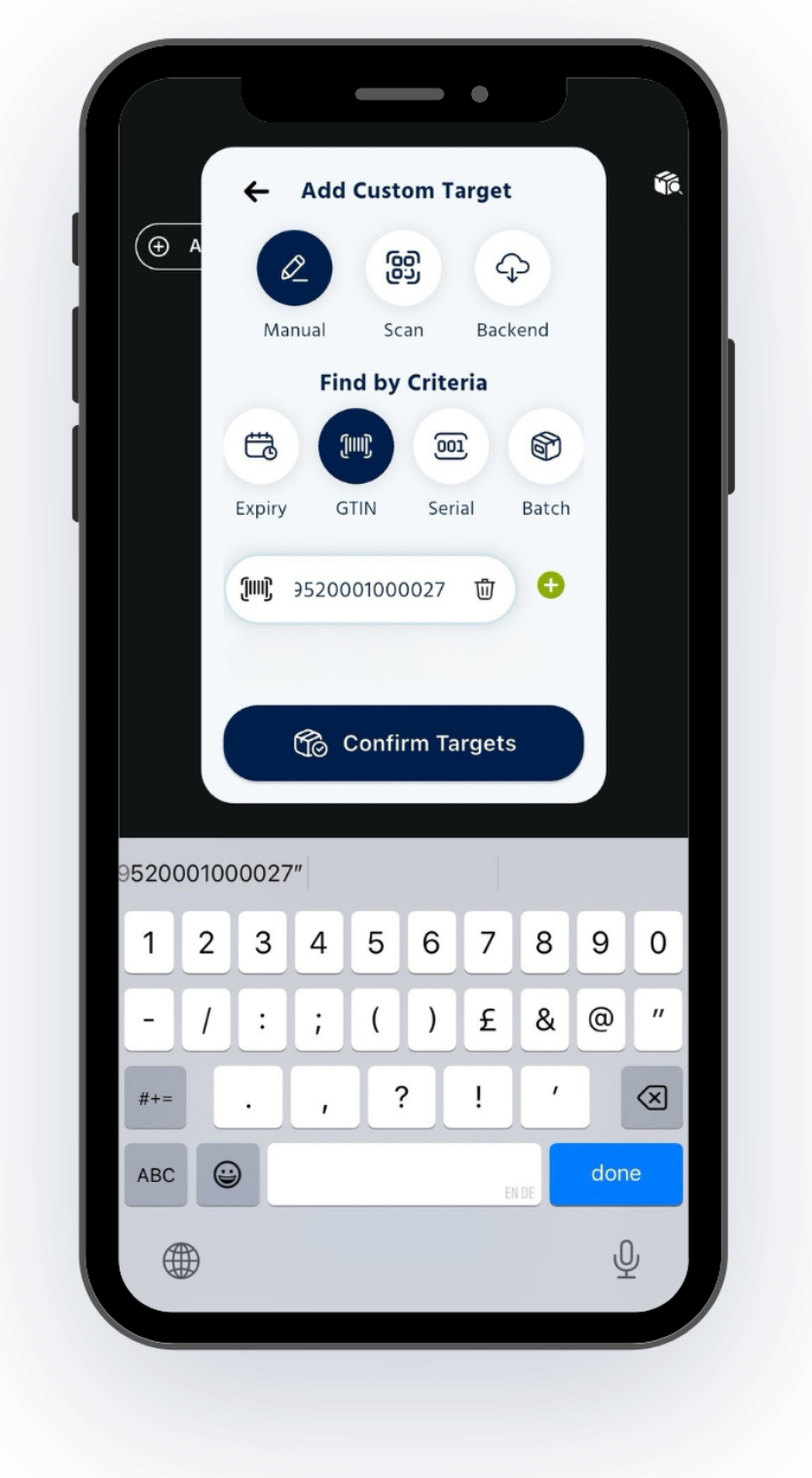
01 — Set up
Set up the search NexRx Inspect Mode
- Open Inspect mode on a supported mobile device.
- Select the available search information, such as: Expiry GTIN Serial Batch
02 — Scan
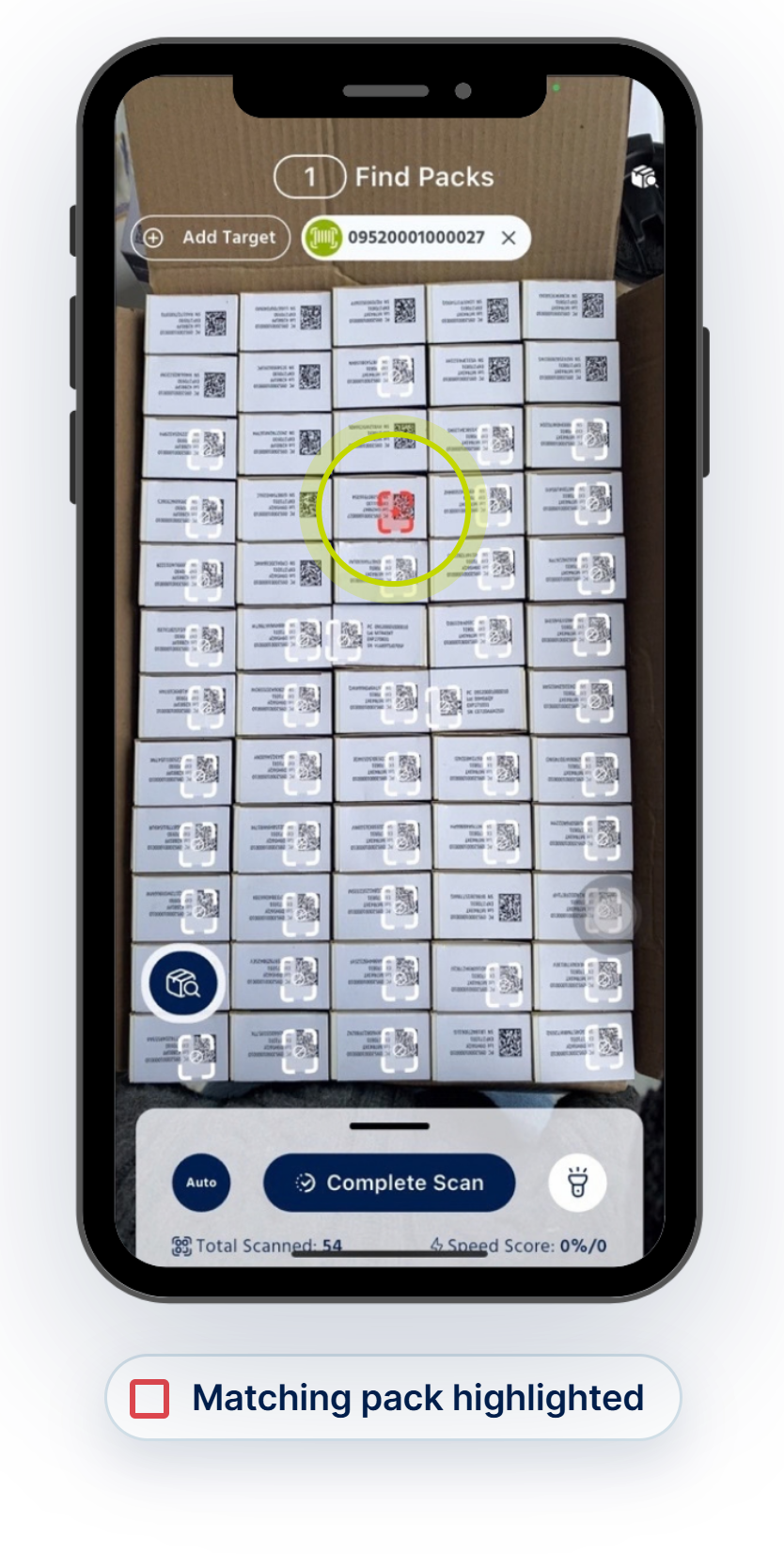
Scan visible stock NexRx Inspect Mode
Point the device at the relevant stock and scan the visible packs in the search area.
- Inspect identifies packs that match the defined search criteria.
03 — Review
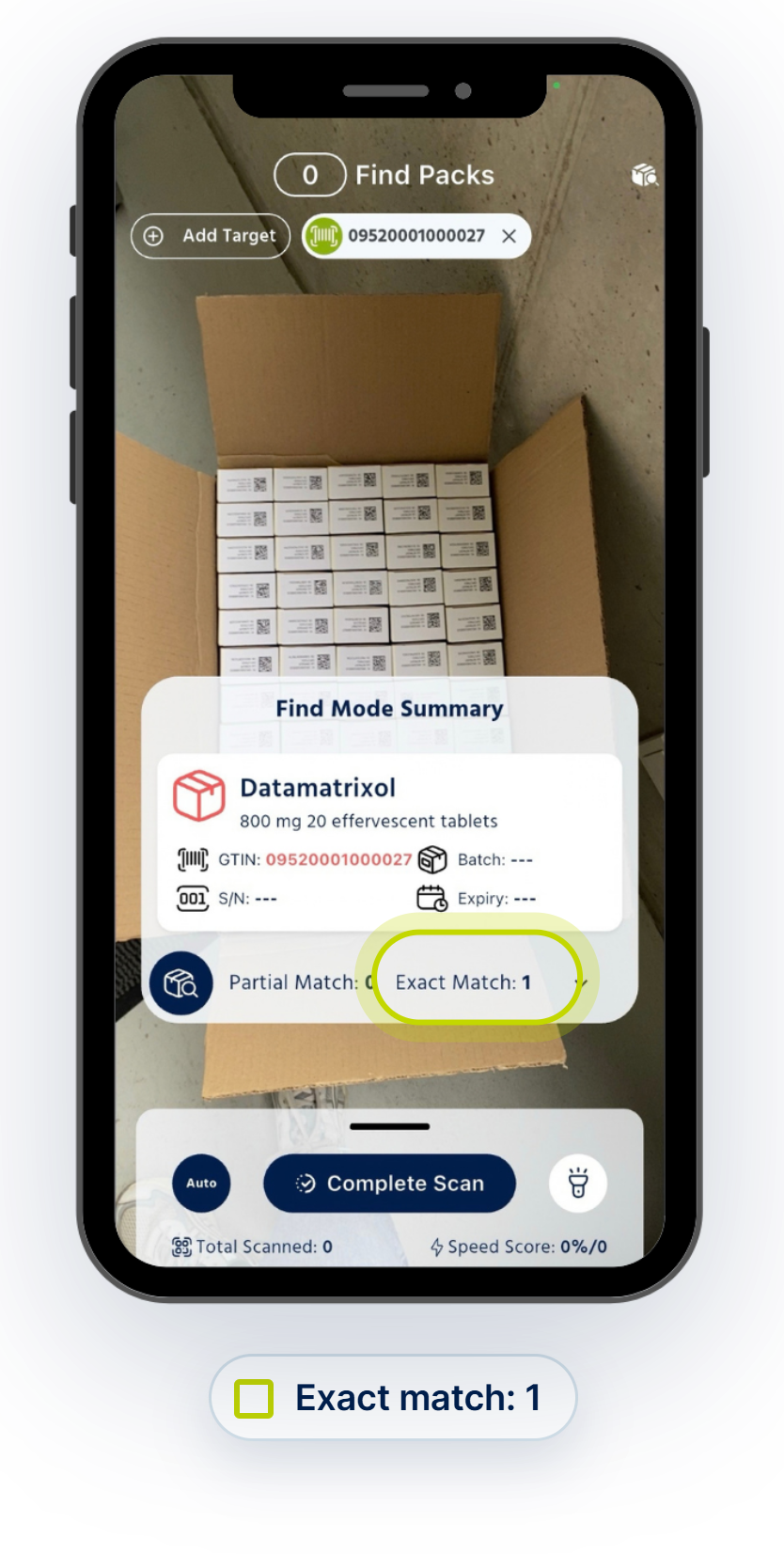
Review the result NexRx Inspect Mode
Once the relevant pack is identified, the operator can:
- Review the result against the appropriate record
- Record the location or next action according to the approved procedure.
- Example shown (in the image): a search by GTIN. A search by serial number identifies one specific pack.
Example: locating a decommissioned pack
A wholesaler may have several decommissioned packs temporarily stored before export or destruction. If one serialised pack needs to be located for an investigation, the operator can inspect the stored stock with NexRx rather than manually reading every pack one by one.
Good to know: NexRx supports the identification step. It does not decide whether a pack should be supplied, returned, destroyed, reactivated or released.
Next step
This article is general educational information. It is not legal, regulatory or quality-system advice. Alert categories, reporting routes, national requirements and system processes can vary. Always follow your approved procedure and current guidance from the relevant NMVO and competent authority.
Share this article